 Free while in development
Locus Notes — Your quiet place to think

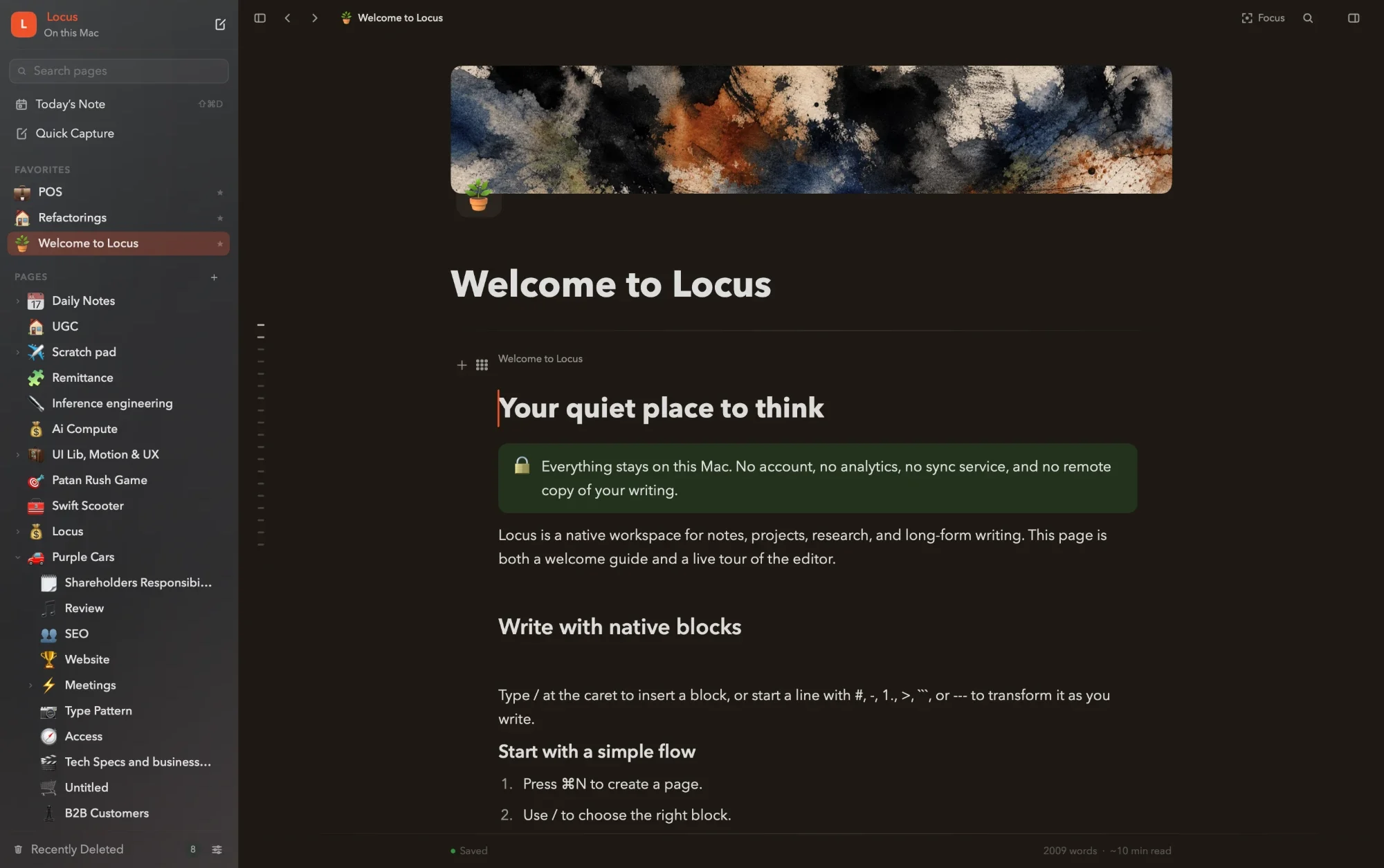
Everything you need,
one block at a time.
Native to your Mac. Private by construction. Quiet until you need it.
Switch in Minutes
Bring your Notion, Obsidian, or Apple Notes over, links and all.
Built for Mac
A native Swift app with real windows, tabs, and menus.
Markdown Shortcuts
Type #, -, or > and the line becomes what you meant.
Works with Shortcuts
Capture to your Inbox, open a page, or add to one from the Shortcuts app.
Smart Dates
Type “@next friday 3pm” and get a real date, with a reminder.
Templates
Save any page as a template. Write {{date}}, {{time}}, or {{weekday}} in it, and each new page fills them in.
Images & Files
Paste screenshots, drop in files, and resize images by hand.
Web Bookmarks
Paste a link and get a tidy card with its title and preview.
Highlights
Four highlight colors, and a formatting bar right where you select.
Margin Notes
Leave notes beside the text. They stay pinned as you edit.
Code Blocks
Syntax highlighting in 18 languages, matched to your theme.
Keyboard First
Every action is one ⌘K away, so your hands stay on the keys.
Themes
Twenty-two themes, from bright Paper to late-night Synthwave.
Covers & Icons
Give every page a face with cover artwork and any emoji.
Deep Focus
One keystroke hides everything but the words you’re writing.
Workspaces
Keep work, home, and side projects in separate spaces.
App Lock
Touch ID or your Apple Watch keeps your notes for your eyes only.
Never Lose Work
Up to 60 versions of every page, and a backup every day.
No Lock-In
Export a page as Markdown, HTML, or PDF, or everything as Markdown.
Small joys
Little touches that make writing here a bit nicer.
Marker & Pen
Highlights are drawn like a marker stroke, and checking a to-do strikes it through with a pen.
The Bookshelf
Press ⇧⌘B to see your top-level pages as books on a shelf, each bound in its own cover.
Stationery
Give one page its own paper, type, and cover, from Warm paper to Handwritten.
Typing Sounds
Off until you want them. Then the Typewriter theme clacks and rings its bell, and Manuscript scratches like a pen.
Quote Cards
Turn a selected passage into an image card, then copy it or save it as a PNG.
Little Games
Type /dice or /coin when you can’t decide, /pick to land on one item in a list, or /shrug.
Pricing
A lifetime of Locus.
Free
US$0Free while in development
- Every feature included
- Free updates while in development
- No account needed
- Works offline
See what’s new in Releases.
Lifetime deal
Early offerEarly price US$19Regular price US$34Reduced pricing for early supportersPricing Available until 30th OctoberTax included
- Lifetime access
- All future app updates
- Use on up to 3 Macs
- No subscription. Pay once.
Secure checkout with Dodo Payments.
For the Mac app downloaded here. See our purchase terms.
FAQs
How much does a lifetime license cost?
An optional early supporter lifetime license is US$19, paid once with tax included. The purchase price will be higher after the early offer.
What does the lifetime license include?
Lifetime access to the direct-download Mac app and all future Mac app updates, with no subscription or recurring payments. This offer applies to the Mac app downloaded from this website; it does not include separate App Store or mobile purchases.
Do I need to buy a license to try Locus?
No. You can download and try Locus before purchasing. Buying early is optional: it supports development and secures lifetime access at the early supporter price.
Where does my writing actually live?
In a local database on this Mac, one per workspace, inside your own user Library folder, with images stored as ordinary files beside it. Up to 60 version snapshots of each page live inside that database, and Locus writes a daily backup next to it. Nothing is uploaded, and you can copy the whole folder to a drive whenever you like.
Does Locus sync, or send anything anywhere?
Your notes, never. Locus contains no account system, sync service, or analytics, and your work never leaves this Mac unless you export it yourself. The app goes online for only three things: a daily check for updates, activating and occasionally rechecking an optional license, and fetching a link’s title and image when you turn it into a bookmark card. Standard tools like Time Machine protect your notes the same way they protect everything else you own.
Can I get my writing out — or in?
Always. Export any page as Markdown, HTML, or PDF, or export the whole workspace as Markdown at once — including a folder of your assets. Import is just as serious: bring a Notion export ZIP, an Obsidian vault, or your Apple Notes, and pages, images, and the links between them arrive intact.
What happens after I download?
Before the download starts, this website asks for your email address. That doesn’t create an account; we may occasionally email you about new releases and offers, and every email says how to stop. Then you get a zip: unarchive it, drag Locus to your Applications folder, and open it. The app is notarized by Apple, so macOS simply asks you to confirm the first time. There is no installer, and the app itself has no account, sign-in, or setup.
What Mac do I need?
A Mac with Apple silicon (M1 or later) running macOS 14 Sonoma or later. Locus is a native Swift app — it launches fast, scrolls smoothly, and respects your machine. Version 1.0.65, on the releases page, is the last one that also runs on Intel Macs.
Is there an iPhone or Windows version?
Not today. Locus is deliberately Mac-first — built with native macOS text machinery rather than a cross-platform shell, because the writing feel is the whole point.