
The 7 best Evernote alternatives in 2026
Updated September 2026
Written by people who build one of them — so the other six get a genuinely fair shake. Ranked on what Evernote leavers actually ask: does it import ENEX cleanly, is the free tier a home or a trial, where do the notes live, and what can never be repriced.
People don’t leave Evernote because it stopped working. They leave because of terms: a free plan capped at 50 notes on a single device, paid plans reshuffled again in late 2025 with Starter at $99 a year and Advanced at $249.99, and fifteen years of notes sitting in a cloud whose rules you don’t set. So this list is ranked on the things that make a successor safe — ENEX import, honest pricing, data ownership, and an open exit — not on feature count, where Evernote’s clipper and OCR still lead.
At a glance
| App | Best for | Price | Imports ENEX |
|---|---|---|---|
| Joplin | The closest free, open-source Evernote | Free, open source; Joplin Cloud optional | Yes — notebooks, tags, attachments, metadata |
| UpNote | Evernote’s feel, one payment, no rent | Free to 50 notes; $1.99/mo or $39.99 lifetime | Yes — built-in importer |
| Apple Notes | Mac and iPhone users who want the default | Free with your iCloud storage | Yes — including tags, on macOS 13 or later |
| Microsoft OneNote | Free clipper and OCR on Windows | Free, with OneDrive’s 5 GB | No — Microsoft retired its importer |
| Bear | Apple users who want a beautiful notebook | Free; Bear Pro $2.99/mo or $29.99/yr | Yes — File → Import From → Evernote |
| Obsidian | Notes as Markdown files you own forever | Free core app; Sync $4/mo billed yearly | Yes — official Importer plugin |
| Locus | Your own writing, in files, with no landlord | Free while in development | Via Markdown — convert ENEX with yarle, then import |
1. Joplin
Best for: The closest free, open-source Evernote · Free, open source; Joplin Cloud optional
The app most Evernote refugees end up on, and for good reason. It was built in Evernote’s image — notebooks, tags, a web clipper, attachments, to-dos with alarms — and its ENEX importer is the most complete on this list, bringing whole notebooks across with tags, attached files, and note metadata intact. It runs on Mac, Windows, Linux, iOS, and Android. Sync is yours to choose: Joplin Cloud, Nextcloud, Dropbox, OneDrive, S3, WebDAV, or a folder on disk, with optional end-to-end encryption on all of them. The honest caveats: the interface is plain, sync takes real setup, and the rich-text editor is Markdown underneath, so some Evernote formatting flattens on the way in.
2. UpNote
Best for: Evernote’s feel, one payment, no rent · Free to 50 notes; $1.99/mo or $39.99 lifetime
A small team’s answer to the exact complaint that empties Evernote: the price. UpNote looks and works like a cleaner Evernote — notebooks, tags, a capable editor, cross-platform sync on Mac, Windows, Linux, iOS, and Android — and it sells a lifetime license for $39.99, or $1.99 a month if you prefer. Its free tier stops at 50 notes, the same wall Evernote built, so treat it as a trial. It imports Evernote directly and exports to Markdown and PDF. The trade: your notes sync through UpNote’s own cloud without end-to-end encryption, and a lifetime license is only as long as the company’s.
3. Apple Notes
Best for: Mac and iPhone users who want the default · Free with your iCloud storage
The zero-friction exit if you live on Apple hardware. Notes on the Mac imports ENEX files directly and keeps your Evernote tags, provided the destination is an upgraded iCloud account or the “On My Mac” account. Folders, tags, smart folders, scanned documents, locked notes, and search that reads text inside images cover most of what Evernote did for a personal archive. What it lacks is a Windows or Android app (iCloud.com only), a web clipper beyond the share sheet, and a serious exit — export is Markdown or PDF, one note at a time. Our Apple Notes comparison covers where it stops.
4. Microsoft OneNote
Best for: Free clipper and OCR on Windows · Free, with OneDrive’s 5 GB
If what you used Evernote for was swallowing the web and finding words inside scanned pages, OneNote is the free replacement that still does both: a real web clipper, search inside images, and free-form pages you can draw on, across Windows, Mac, iOS, Android, and the web. Notes live in OneDrive on your Microsoft account. The catches: Microsoft retired its Evernote importer, so expect to convert ENEX to HTML and rebuild notebooks by hand; export is PDF only, with no Markdown exit; and the Mac app is the thinnest of the family — which is why we wrote a separate OneNote alternative for Mac page.
5. Bear
Best for: Apple users who want a beautiful notebook · Free; Bear Pro $2.99/mo or $29.99/yr
The prettiest Evernote replacement on Apple devices. Bear imports ENEX on both Mac and iOS, hides Markdown syntax as you type, and organizes with nested tags instead of notebooks — so tag your Evernote notes by notebook before exporting, because ENEX doesn’t carry notebook names, and empty Evernote’s trash first, because it does carry trashed notes. Bear Pro adds iCloud sync, note encryption, OCR search inside PDFs and images, themes, and DOCX or HTML export. The limits: Apple-only, sync is paid, and your notes live in Bear’s database rather than as files — see how Bear handles Markdown.
6. Obsidian
Best for: Notes as Markdown files you own forever · Free core app; Sync $4/mo billed yearly
The ownership answer. Obsidian’s official Importer plugin converts an ENEX file into durable Markdown, preserving tags (with an option to keep hierarchies) and recreating notebook stacks from a naming pattern. From then on your notes are plain files in a folder — no account, free for personal use, and readable by any app after Obsidian. It even has an official web clipper now. The cost is assembly: vaults, themes, and plugins take real time before it feels like a notebook rather than a workshop, and the editor shows Markdown syntax rather than Evernote-style rich text. We compared it in depth in Locus vs. Obsidian.
7. Locus
Best for: Your own writing, in files, with no landlord · Free while in development
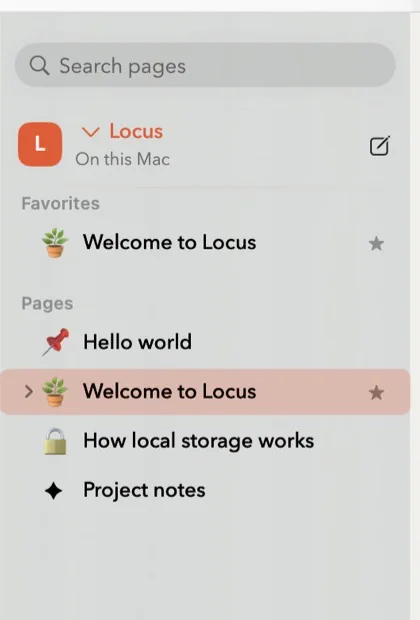
Ours — judge this entry accordingly. Locus is for the half of Evernote that was your own words: notes, journals, projects, drafts. It is a native Mac app with a block editor (type / for to-dos, tables, toggles, code), backlinks, templates, per-page version history, daily backups, and export to Markdown, HTML, or PDF at any time. There is no account, no cloud, no subscription, and nothing to reprice. Migration is two steps: convert your ENEX to Markdown with a free tool like yarle, then File → Import. What it deliberately doesn’t do — web clipping, OCR inside scans, mobile apps — is exactly what the full Locus vs. Evernote comparison concedes to Evernote.
Export first, then choose
Do the ENEX export now, whichever app you end up on — it’s your notes’ insurance policy against the next plan change. Export one notebook at a time from the desktop app so the notebook names survive as filenames, empty the trash first, and check the resulting files open in your chosen importer before deleting anything from Evernote. Ten years of notes usually takes an evening. If you want them as plain Markdown regardless of destination, yarle converts ENEX to a folder of Markdown files with attachments intact — the same folder Locus, Obsidian, and Joplin all import.
How we chose
We make Locus, so we held the list to tests that can’t be gamed in our favor: does the app import ENEX without losing tags and attachments, is the free tier a place to live rather than a 50-note trial, can you point at the files or database that hold your notes, and can you leave again in a format the next app reads. Every app above passes most of them; Evernote passes the import test only because it invented the format. If ownership is your deciding factor, start with local-first notes; if it’s the fear of losing a decade of edits, notes with version history explains what a good successor keeps for you.
Questions people ask
What is the best alternative to Evernote?
There is a best per reason for leaving. If you want Evernote’s shape — notebooks, tags, clipper — for free and open source, Joplin. If you want the same shape and are happy to pay once, UpNote. If you want your notes as files you own, Obsidian on any platform or Locus on a Mac. If you are on Apple devices and want the least possible friction, Apple Notes imports your ENEX and keeps the tags.
Is there a free alternative to Evernote?
Yes, and unlike Evernote’s 50-note free plan, several are free without caps. Joplin and Obsidian’s core app are free and open about it; Apple Notes and OneNote come with your devices; Locus is free while in development. UpNote and Bear are free to try but expect payment for sync or scale.
What happened to Evernote’s pricing?
Two things. In late 2023 the free plan was cut to 50 notes, one notebook, and one device. Then in late 2025 the Personal and Professional plans were replaced by Starter and Advanced — at the time of writing, Starter is $99 a year for up to 1,000 notes on three devices, and Advanced is $249.99 a year for unlimited notes and devices. A notes app that can reprice a decade of notes is a landlord, which is why this page exists.
How do I export my notes from Evernote?
On the desktop app, export each notebook as an ENEX file (File → Export Notebook). ENEX is Evernote’s own XML: it carries notes, tags, and attachments, but not notebook names, so export one notebook at a time and name the files. It also includes trashed notes — empty the trash first. Joplin, UpNote, Apple Notes, Bear, and Obsidian import ENEX directly; Locus and other Markdown apps take it after a free conversion with yarle.
What will I miss after leaving Evernote?
Honestly: the web clipper and OCR search inside PDFs and scanned images. Evernote is still excellent at both. OneNote and Joplin keep a clipper; Bear Pro and Apple Notes search inside images; Obsidian has an official clipper. Locus does neither — it is a writing tool, not a capture archive, so if your Evernote was mostly clipped articles and receipts, pick one of the others.
Which Evernote alternative works fully offline, with no account?
Obsidian and Locus treat offline as the only mode — notes are files on your disk and no sign-in exists. Joplin works offline and needs an account only if you choose Joplin Cloud for sync. Apple Notes works locally with the “On My Mac” account. UpNote, Bear Pro, and OneNote cache offline but are built around an account.